Here are the steps to Edit a DNS Zone in the MojoHost Support Portal:
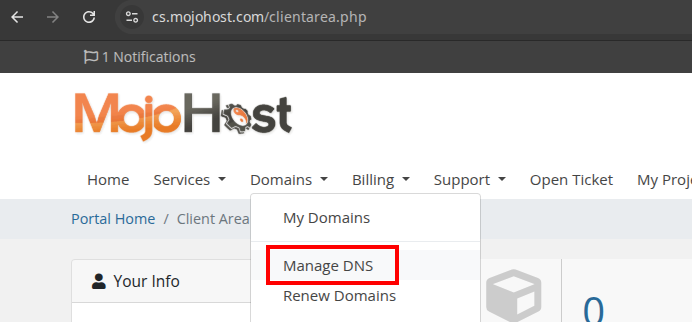
When you are logged in to the support portal, you will see the Domains menu at the top. Select that and then select Manage DNS.
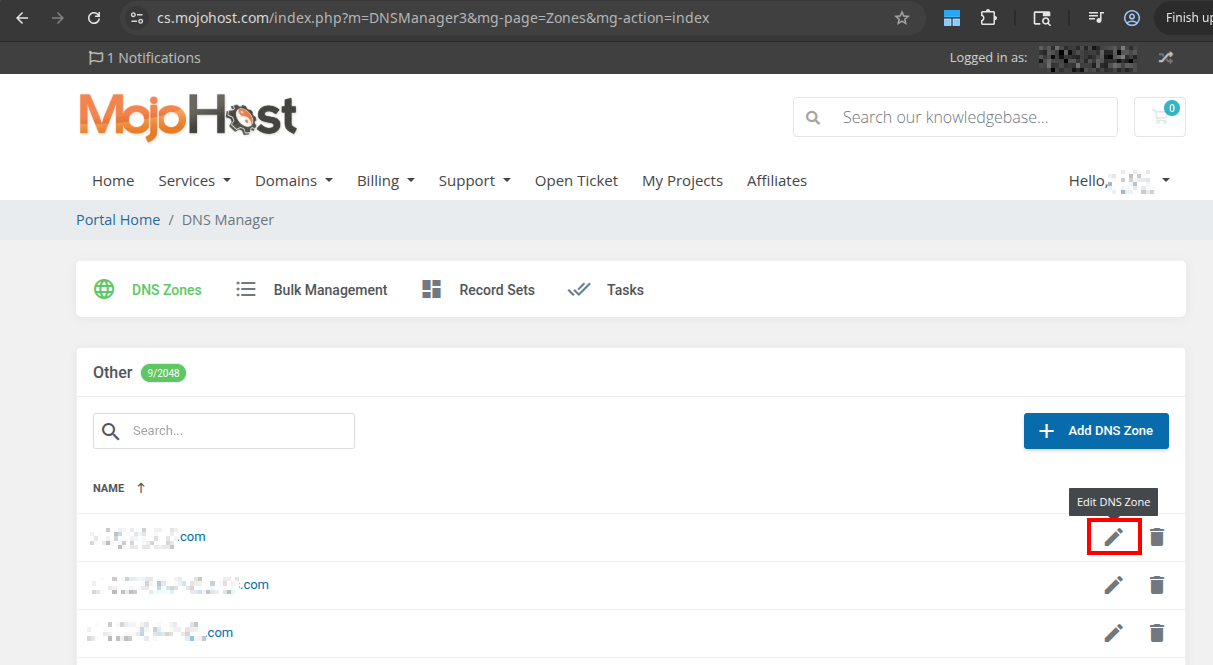
On the DNS Manager page, you will see a list of your Domains. From here you can Add a new DNS Zone, or Modify existing DNS Zones. There is also a Search function you can use to locate the domain you wish to update.
To Add a New DNS Zone, click the Add DNS Zone button. On the following screen, enter the DNS Zone Name you wish to add, and click the Confirm button. Once that is done, you will be able to continue on to Modify that new DNS Zone
To Modify a Zone, Click the Edit button next to the domain name you are working with.
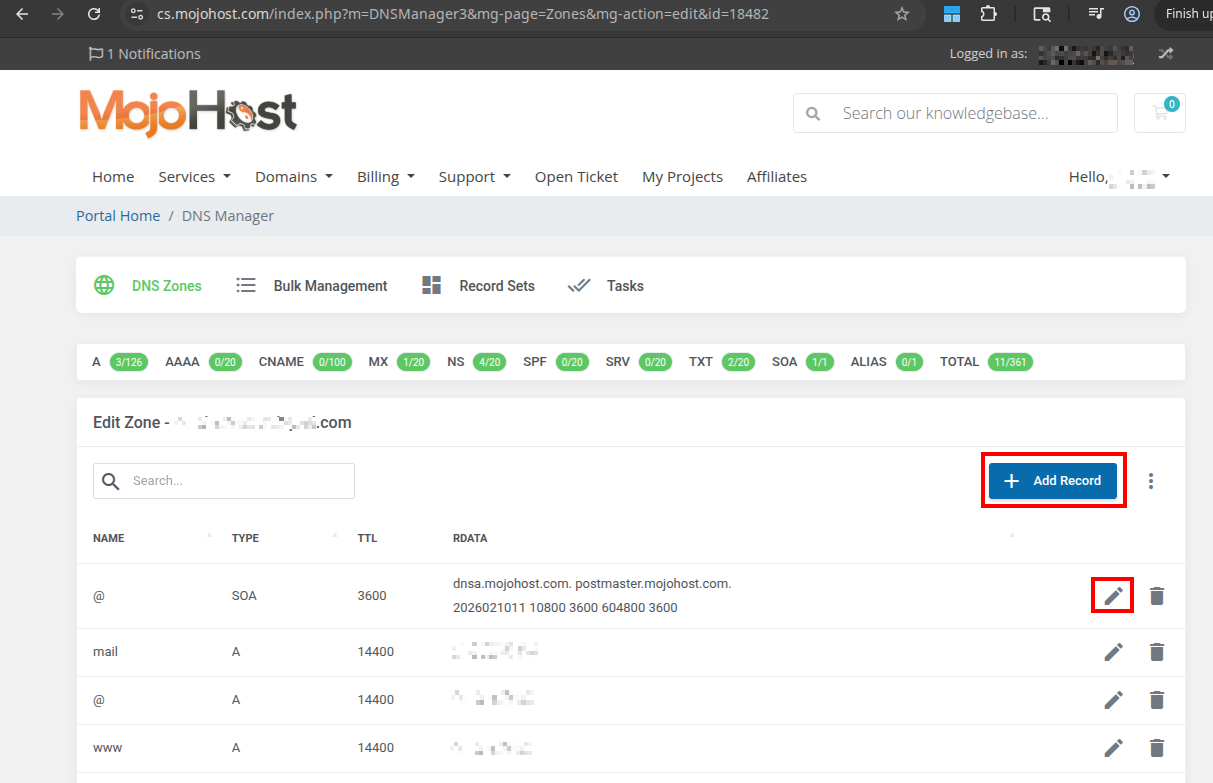
The following page will allow you to Edit existing DNS Records, or Add new records.